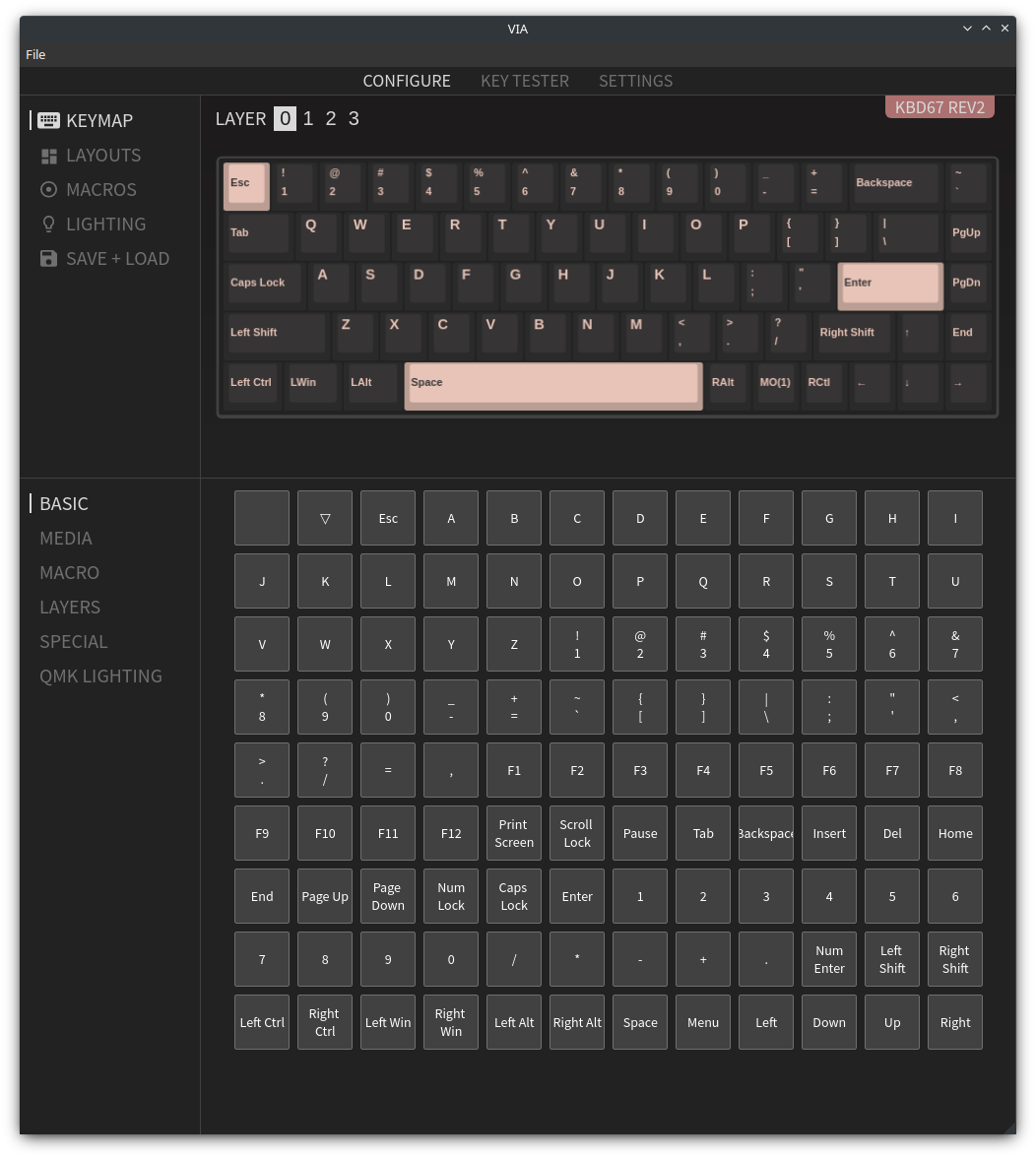
Keyboards with a VIA compatible firmware can have their layouts easily configured with the VIA Configurator. A user-space application that can be run without any special permissions and that supports Linux! :tada:
This method removes the need to build and re-flash a new firmware into the keyboard each time that it has to be re-programmed, which is time consuming and (usually) requires tools not supporting Linux.
Even though the factory firmware in my KBDfans KBD67v2 is not VIA compatible, it is actually supported by VIA and they provide a new firmware for this keyboard. So, let’s upgrade it:
-
Download VIA compatible firmware from https://caniusevia.com/docs/download_firmware/
The file for KBDv2 is
kbdfans_kbd67_rev2_via.hex -
Flash VIA firmware to KDB67v2 with QMK Toolbox
Warning
QMK Toolbox only works on Windows or Mac systems.
- (Re-)Connect the keyboard in bootloader mode by pressing
Space + Bwhile you plug its USB cable - Launch QMK Toolbox
- Select
kbdfans_kbd67_rev2_via.hexas Local file - Select
atmega32u4as Microcontroller - Select
kbdfans/kbd67/rev2as Keyboard - Click
Flash(disabled if the keyboard is not in bootloader mode, see step 2.1)
- (Re-)Connect the keyboard in bootloader mode by pressing
-
Download and install VIA Configurator in your computer as usual
Once the keyboard is flashed with the new firmware, VIA Configurator recognises the KBD67v2 on launch and I can not only configure its multiple layout layers, but also control its backlight settings. All changes are applied and stored in the keyboard on-the-fly as well.